Introduction
T‑Mobile Home Internet offers a modern alternative to traditional broadband by delivering fast, wireless internet straight to your home through 5G and LTE networks. With plug-and-play setup and unlimited data, it’s designed for users who want reliable connectivity without complicated installation or long-term contracts. But how well does it actually perform? In this article, we’ll cover everything from plan options, real-world speeds, customer service, and coverage to app management, phone support, and eligibility requirements. By the end, you’ll know if T‑Mobile Home Internet is the right fit for your household.
What T‑Mobile Home Internet Is and How It Works
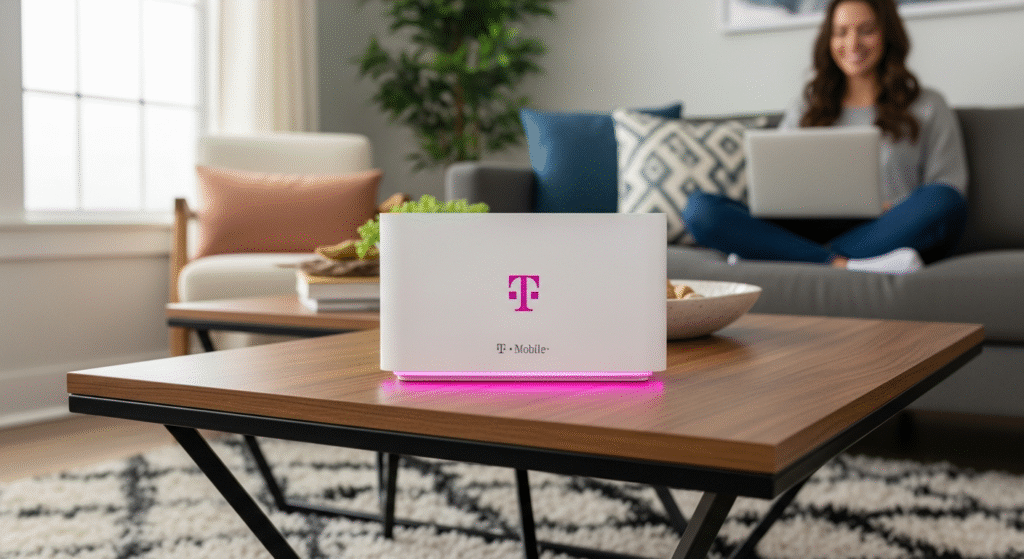
T‑Mobile Home Internet is a fixed wireless service, meaning it delivers internet through 4G LTE or 5G cellular signals instead of wired cable or fiber. When you sign up, T‑Mobile sends a 5G Gateway device, which combines a modem and router. You simply plug it into power, and it creates Wi-Fi for your home.
Because it’s wireless, setup is extremely simple. Most users report that they can go from unboxing to fully online in under 15 minutes without needing a technician. However, performance depends on location, signal strength, and proximity to T‑Mobile towers. Obstacles like walls or distance from the gateway can affect speeds and reliability.
Plans and Pricing
T‑Mobile offers several Home Internet plans designed to match different user needs.
| Plan | Key Features |
| Lite / Rely | Entry-level option with unlimited data, 5G Gateway, auto-pay discounts, and 5-year price guarantee. Designed for small households or light-to-moderate users. |
| Amplified | Faster gateway and better performance for multiple devices. Ideal for families streaming video or working from home. |
| All‑In / Premium | Latest Wi-Fi 7 gateway, optional mesh extender, 24/7 support, and additional perks like streaming or security features, depending on location. |
All plans include unlimited data with no long-term contract. Promotions, rebates, and bundle discounts may be available depending on your region.
Real-World Performance
T‑Mobile Home Internet delivers strong speeds when signal quality is good. Typical download speeds range from 133 to 415 Mbps, and upload speeds usually fall between 12 and 55 Mbps. This makes it suitable for video streaming, online classes, work-from-home tasks, and multiple devices.
Performance may fluctuate due to network congestion or weak signal areas. Latency is generally acceptable for everyday tasks but may not be ideal for competitive gaming or highly latency-sensitive work. Users should manage expectations, especially in densely populated areas or during peak usage times.
Installation and Flexibility
One of the biggest advantages of T‑Mobile Home Internet is its ease of setup. The 5G Gateway is plug-and-play no drilling or professional installation required. Service can be canceled anytime without early termination fees, giving users maximum flexibility. Eligible plans include a 5-year price lock, providing predictability in costs and eliminating sudden hikes.
Customer Service and App Management
T‑Mobile’s Home Internet app allows users to monitor Wi-Fi performance, adjust settings, and see connected devices. The T‑Mobile Home Internet customer service phone number for sales is 1‑844‑839‑5057, and technical support is 1‑844‑275‑9310.
The service is account-friendly: you can transfer it to a new home if eligible, manage billing, and pay online or through the app. However, user reviews about customer service are mixed, with some reporting long wait times or inconsistent support quality.
Coverage, Availability, and Eligibility
Availability is tied to T‑Mobile’s 4G LTE and 5G tower network. Users should always check the T‑Mobile Home Internet coverage map with their exact address before signing up. Even if your phone gets strong 5G, the home internet service might not be available at your location due to network capacity or restrictions.
Eligibility checks determine if your home can receive the gateway and use T‑Mobile Home Internet. Urban and suburban areas tend to have better coverage, while rural or densely populated pockets may face slower or inconsistent service.
Who Should Consider T‑Mobile Home Internet
T‑Mobile Home Internet is ideal for renters, students, and households looking for quick setup, unlimited data, and predictable pricing. It suits moderate users who stream video, work remotely, or need connectivity for multiple devices without complex installation.
However, users requiring ultra-stable speeds for heavy uploads, multiple 4K streams, or competitive gaming should consider wired fiber or cable as a more consistent alternative. Locations with weak 5G/LTE coverage may experience slower speeds or interruptions.
Comparison with Wired Internet
| Feature | T‑Mobile Home Internet | Traditional Wired (Cable/Fiber) |
| Installation | Plug-and-play | Requires technician, drilling, or cabling |
| Contract | No long-term contract | Often 1+ year contracts |
| Mobility | Easy to move (if eligible) | Tied to house wiring |
| Price Stability | Some plans with 5-year price lock | Rates may increase after promotional periods |
| Speed & Stability | Good, variable | Consistent, high-speed, low latency |
| Latency | Slightly higher | Typically lower |
| Data Cap | Unlimited | Varies, sometimes capped |
T‑Mobile excels in convenience and flexibility, while wired services provide more consistent speed and reliability.
Checklist Before Signing Up
- Check availability at your exact address using T‑Mobile’s coverage map.
- Test 5G/LTE signal strength inside your home.
- Evaluate your household’s data needs streaming, gaming, remote work, or large file uploads.
- Prepare for occasional speed variability due to network congestion.
- Use any trial period to experience real-world performance.
- Read all plan terms, including taxes, fees, and equipment return policies
FAQs
Use T‑Mobile’s coverage map and enter your exact address. Availability is based on network capacity and tower proximity.
Yes. Most plans offer unlimited data with no overage charges. Speeds may be reduced during network congestion.
Plug-and-play setup usually takes under 15 minutes. No technician is required.
Lite (Rely) is entry-level with basic gateway, suitable for light users. Amplified or All‑In offers faster gateway, better performance for multiple devices, and extra perks.
Yes, if your new address is eligible. Coverage must be confirmed before transferring.
Sales inquiries: 1‑844‑839‑5057; Technical support: 1‑844‑275‑9310.
Conclusion
T‑Mobile Home Internet is a reliable and flexible option for users who prioritize convenience, unlimited data, and easy installation. Its performance is sufficient for most households, but may fluctuate depending on network conditions. Before committing, check coverage, assess your usage, and consider whether wireless variability fits your lifestyle. For many,
T‑Mobile offers a smart balance of value, simplicity, and performance, making it a strong contender in the modern home internet market.